

How does the Trip Planner work?
The Phuket 101 Trip Planner is a free tool built into this site that lets you collect places you discover while browsing (beaches, restaurants, hotels, day trips) and organise them into your own day-by-day holiday plan. Think of it as a personal travel notebook that fills itself as you explore the site. (See the Trip Planner page here, but it will be empty until you bookmark something)
How it works:
Plan your perfect Phuket trip in a few simple steps! Just browse the Phuket 101 site as usual, you will now notice little hearts ❤️ on places and pages, or a little ‘Add to Trip’ button. This is for you to save the places you like, and organise them into a day-by-day itinerary. No account needed: your trip is saved automatically in your browser. It is safe and useful!
Step 1: Save Places You Like When Browsing
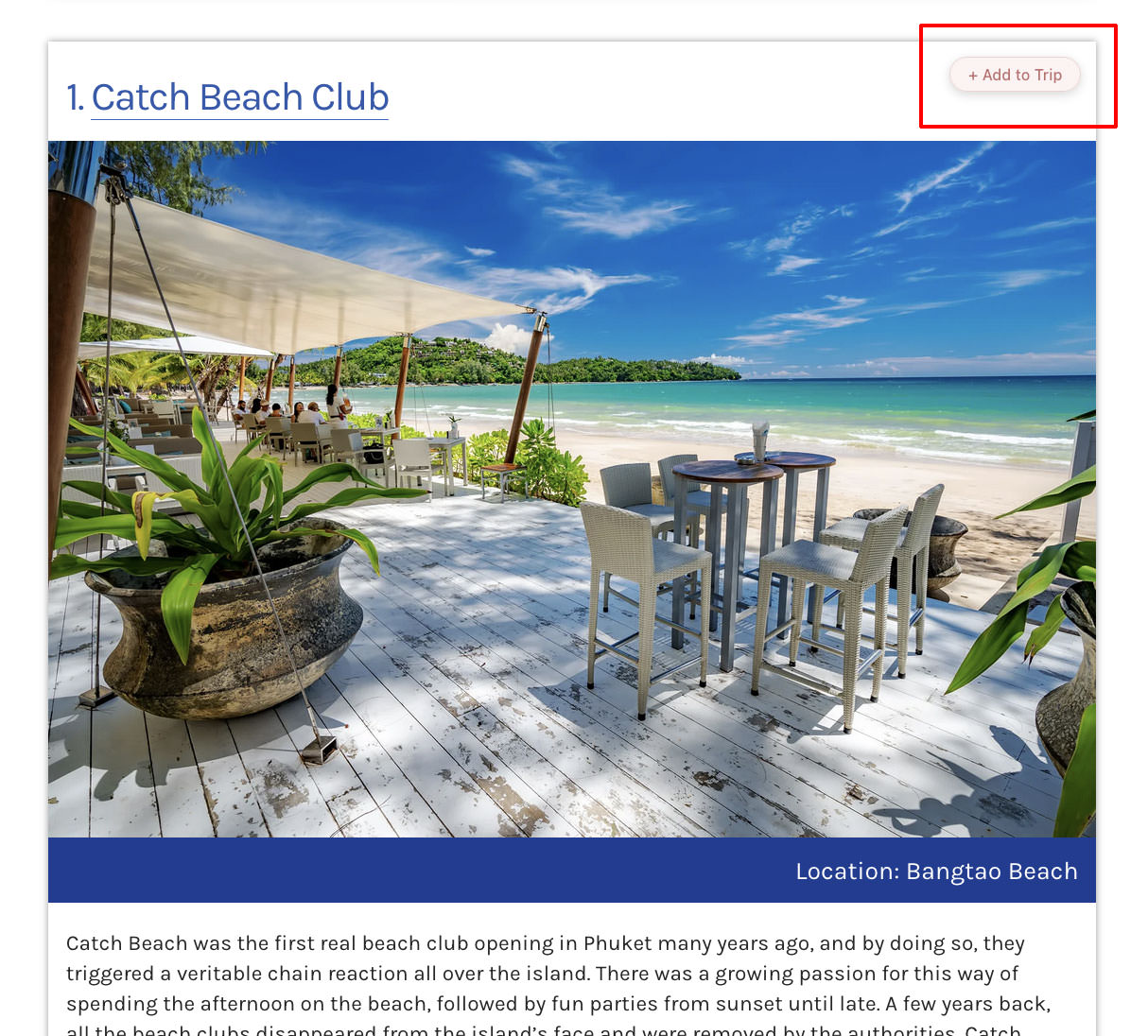
As you browse Phuket 101, you’ll see a heart icon on every listing — beaches, restaurants, hotels, tours, and more. Tap the heart to save it to your trip. You’ll see a confirmation, and the “My Trip” badge in the corner will update with your count.
Step 2: Open Your Trip
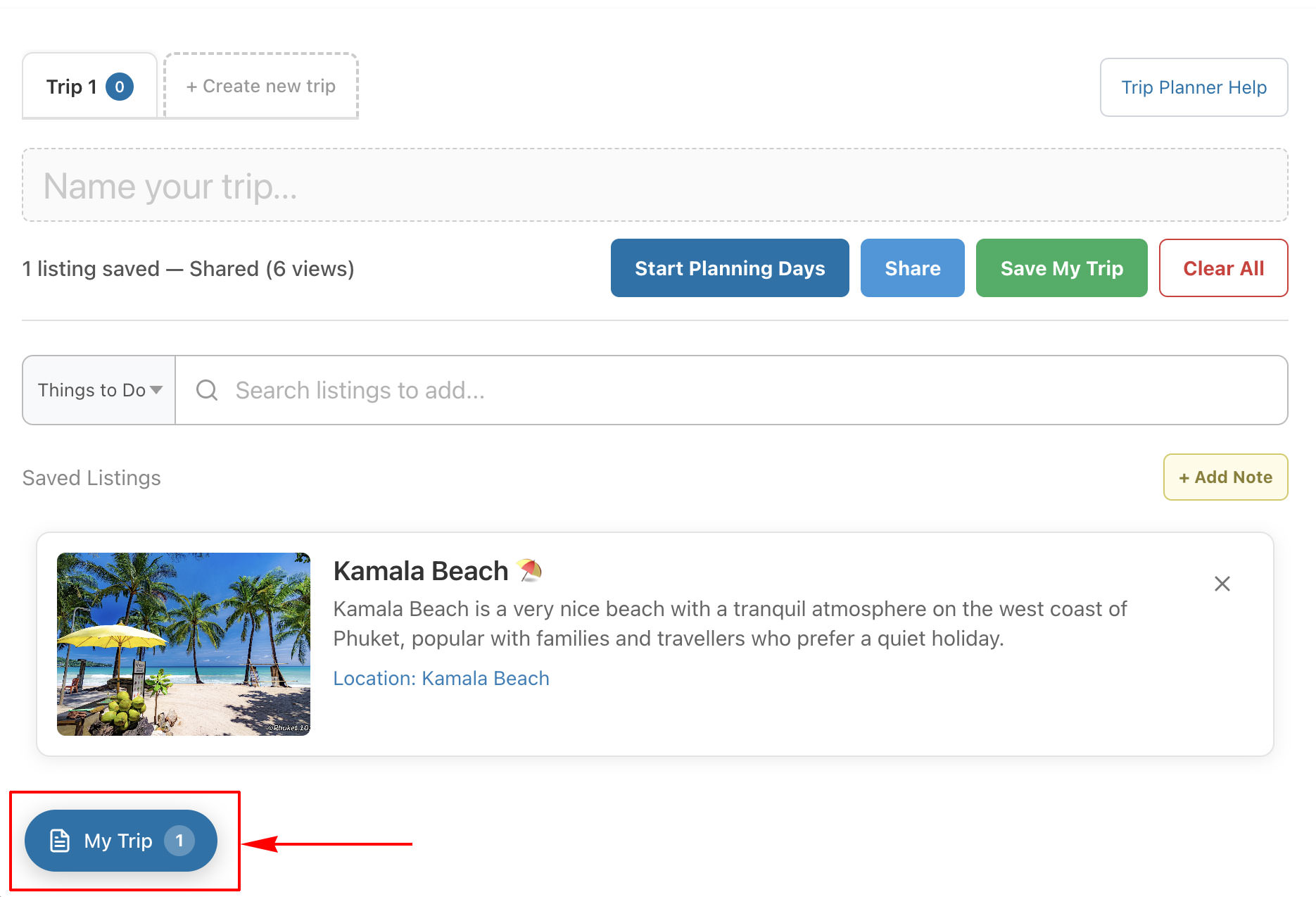
Click the “My Trip” badge in the bottom corner of any page to go to your trip. You’ll see all your saved places in one list.
Step 3: Drag and Drop
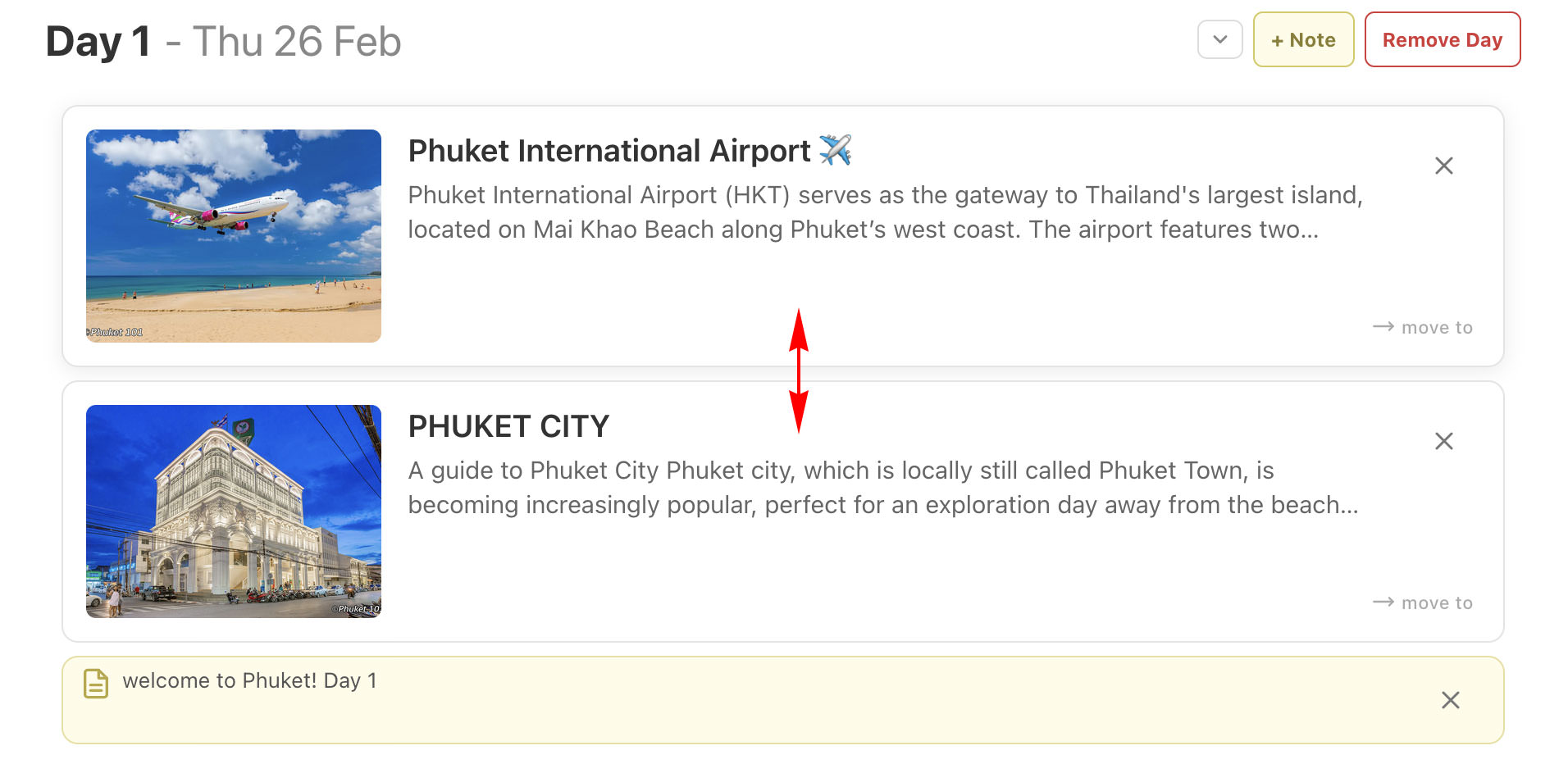
Drag listings up or down to reorder them within a day, or move them between days using the “Move to” link on the right. On mobile, long-press a listing to start dragging. This lets you plan the perfect sequence for each day of your trip.
Step 4: Organise by Day
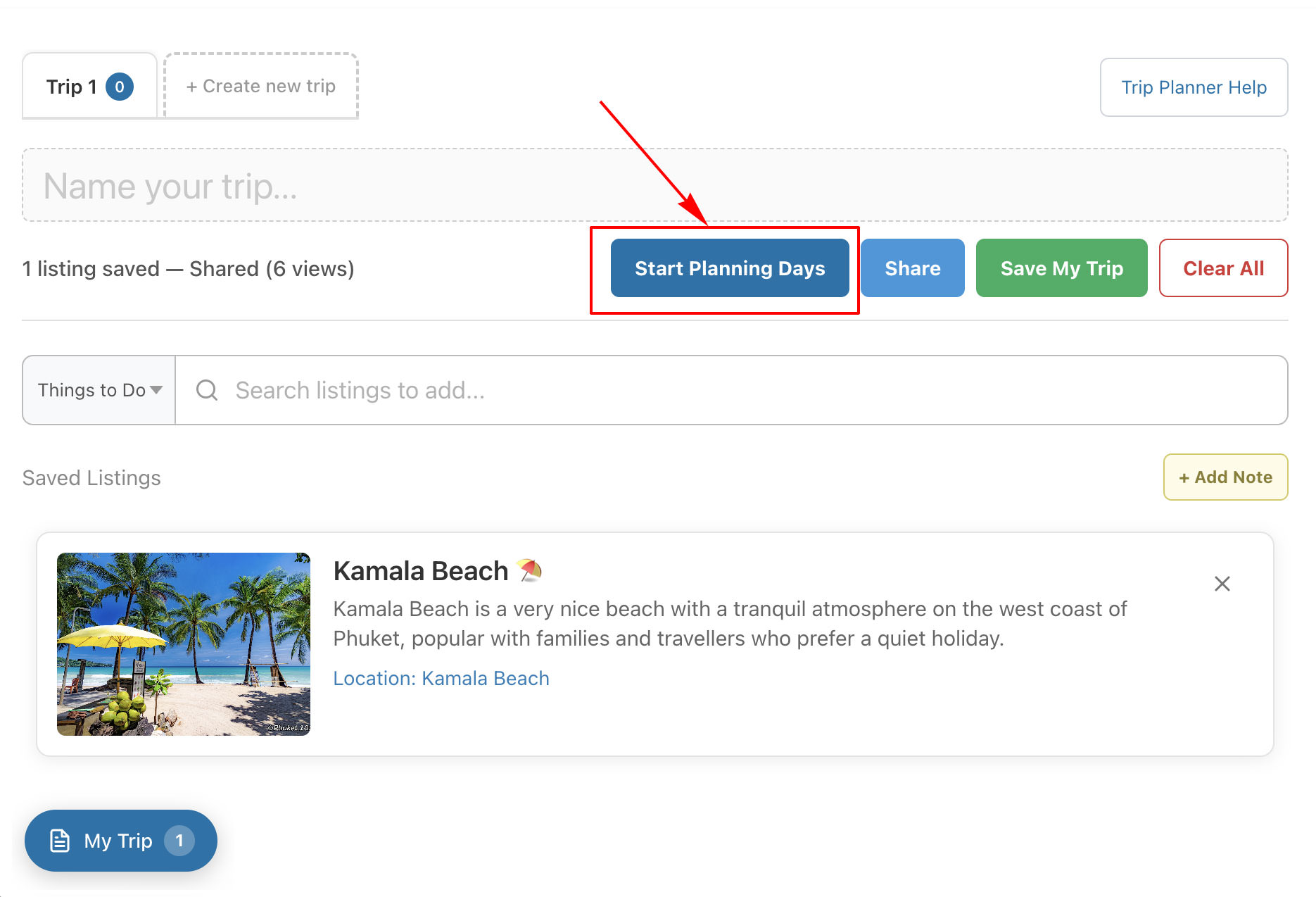
Click “Plan by Day” to create Day 1, Day 2, and so on. Drag and drop your saved places into the day you want to visit them. Add notes to any day to remember tips, booking details, or reminders.
Step 5: Search for Places
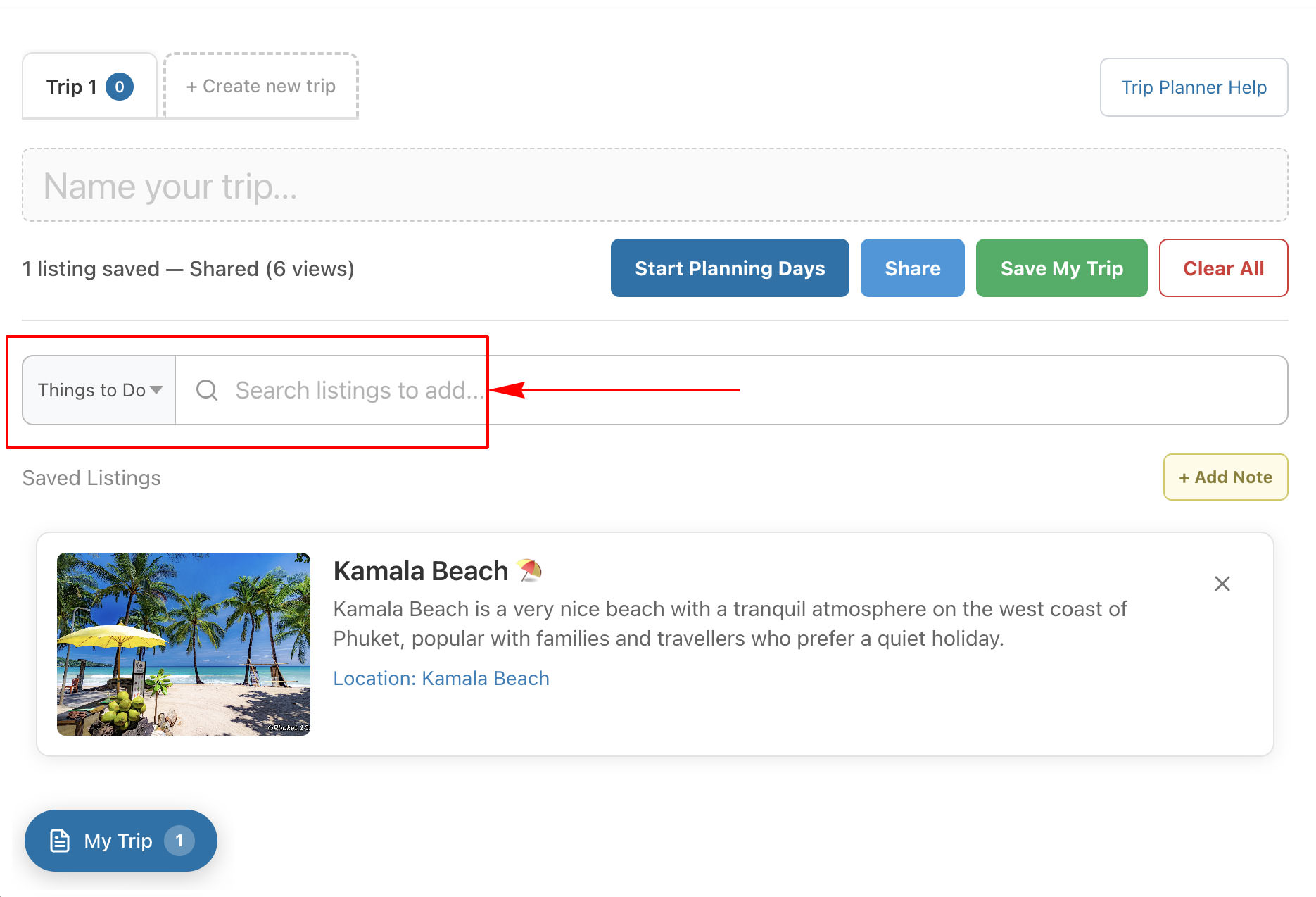
Use the search bar at the top of your trip to find and add places without leaving the page. Type a beach name, restaurant, or activity and pick from the results. It’s the fastest way to build your itinerary.
Step 6: Add Personal Notes
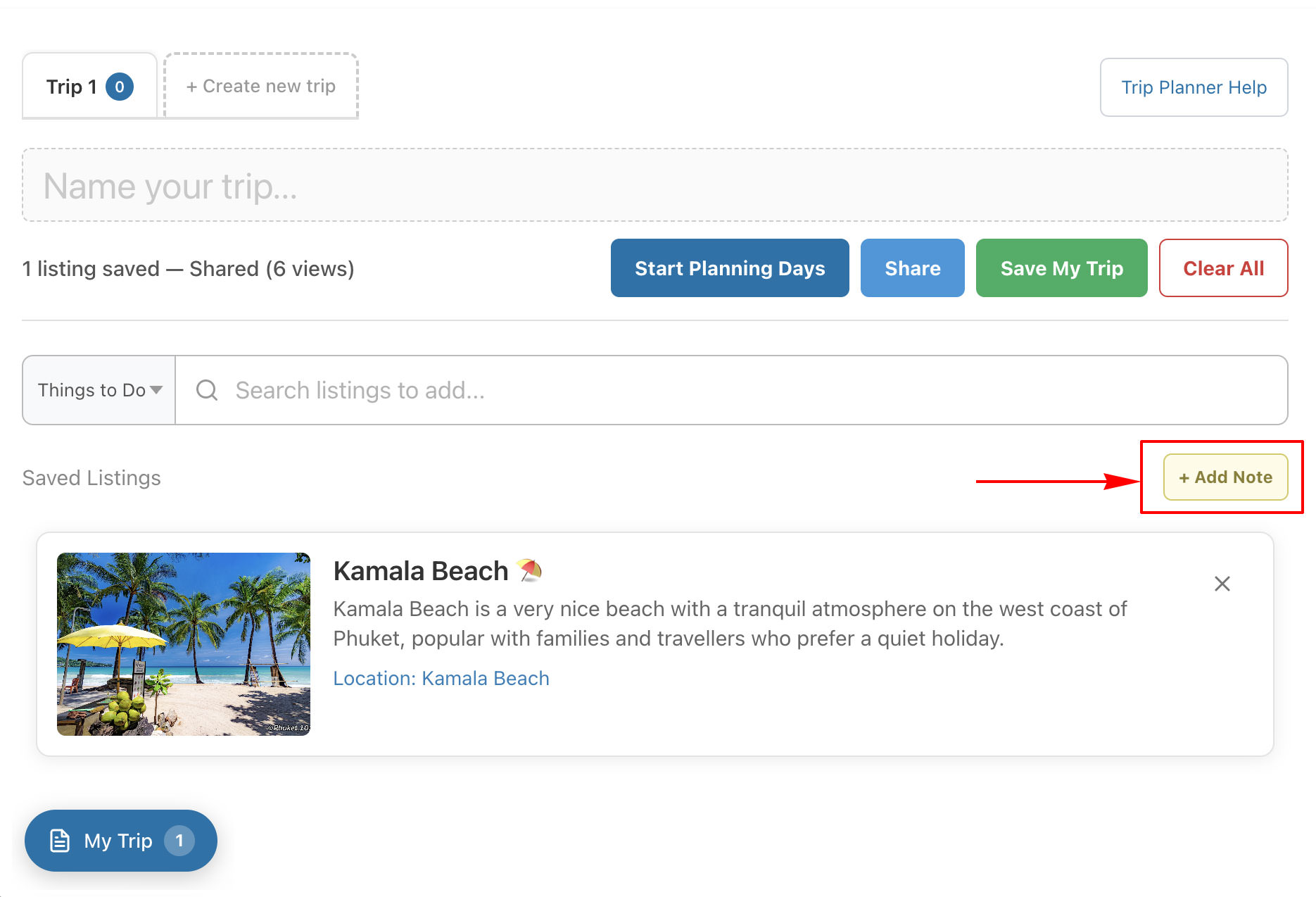
Click “+ Add Note” to attach a personal note to your trip or to a specific day. Use notes to remember booking confirmations, travel tips, restaurant recommendations, or anything you don’t want to forget. Notes save automatically as you type.
Try it here! Click on Any Item Below

Bonus Tips
- Search — Use the search bar on the My Trip page to find and add listings without leaving the page.
- Share — Click “Share” to get a link you can send to your travel companions.
- Save for later — Click “Save My Trip” to email yourself a magic link that brings back your trip anytime.
- Ready-made itineraries — Browse our curated itineraries for inspiration and clone them as your starting point. (coming soon)
- Your trip data is stored in your browser using a cookie. No account or login required. Clear your cookies and the trip is gone — use “Save My Trip” to keep it safe!